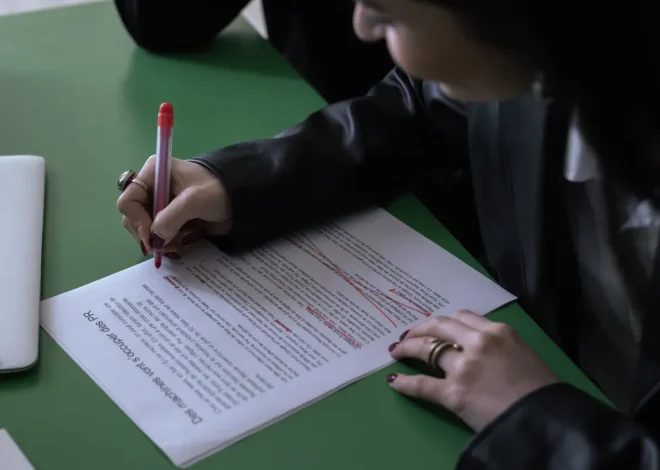
How to Review AI Drafts Before Editing
Last updated: October 25, 2026
Quick Answer: For How to Review AI Drafts in Article Writing SaaS Before Editing, a first-pass review usually takes 5 to 15 minutes and should check structure, accuracy, and missing decisions before sentence edits begin. If the draft is for an article writing SaaS workflow, the right first pass is a 10-minute structural check, not a paragraph-by-paragraph rewrite.
What the first-pass review is for
The first-pass review is for deciding whether the AI draft is worth editing at all. A draft that already has the right angle, section order, and audience fit can move to revision; a draft that misses those basics needs a revision plan first, or the editor ends up polishing the wrong shape.
This stage is about the draft as a whole, not the wording inside each paragraph. Think of it as a pre-flight check for a 1,500-word article: does the opening name the problem, do the sections answer the reader’s likely questions, and does the draft avoid mixing points that belong in separate sections? If the answer is no, sentence-level editing only wastes time.
The cleanest way to do this in article writing SaaS is to open the generated draft in one pane and your brief in another, then compare the two at the level of sections, not lines. A good first pass usually takes 5 to 15 minutes, depending on draft length and how many sections the software produced. The result you want is simple: a short issue list, a revision plan, and a clear decision on whether the draft needs light cleanup or a second generation.
This stage is not for refining voice, tightening syntax, or hunting for perfect transitions. Those come later. It is for spotting the structural defects that make those later fixes expensive.
How do I evaluate a draft in writing software?

You evaluate a draft by checking 5 things in order: purpose, reader fit, structure, factual risk, and section coverage. That sequence keeps the review from drifting into line edits too early.
-
Confirm the draft matches the brief in the first 2 paragraphs.
Read the opening and ask whether it names the same topic, audience, and outcome the brief asked for. If the draft opens with generic background or a broad definition instead of the actual task, mark it for restructuring. A working opening should let you say, in one sentence, “This draft is about X for Y.” If you cannot say that after 30 seconds, the draft is off course. -
Check the section map against the reader’s job.
Scan the headings and decide whether each one earns a place. For a how-to piece, the draft should move in a practical order: setup, review, issue spotting, revision planning, and cleanup. If two sections repeat the same point or if a necessary step is missing, note it in the issue list. In SaaS tools that show headings in a sidebar, this check can usually be done quickly and prevents duplicated content from surviving into editing. For a professional or regulated workflow, consult the relevant subject-matter expert before treating any time estimate as a rule. -
Mark every claim that looks risky or underspecified.
AI draft text often sounds confident where it should be cautious. Flag numbers without context, product-specific claims, vague superlatives, and any statement that would need a source in final form. The point is not to fact-check every word yet; it is to identify where the draft depends on verification. A review pass is working when the risky lines are easy to find again later, either with comments or a simple issue list. -
Identify missing decisions, not just missing sentences.
A weak draft often lacks a point of view. Look for places where the software gave you options instead of a choice: broad versus narrow scope, beginner versus advanced reader, quick scan versus deep review. If the draft never chooses, it reads like a summary rather than a useful guide. Add those missing decisions to the revision plan before editing begins. -
Decide whether the draft needs repair or replacement.
If the opening is wrong, half the sections are redundant, and the draft misses the core job, do not try to rescue it line by line. A clean regeneration is often faster than a full rewrite. If the structure is sound and the issues are local, move on with a narrow edit plan. In practice, this decision is what saves the most time.
A useful rule: if you cannot reduce the problem to a 5-item issue list, you have not reviewed the draft yet. You have only skimmed it.
What should be in the issue list before I edit?
The issue list should name the problem, where it appears, and what kind of fix it needs. A good list is short enough to act on in one sitting, usually 3 to 10 items for a normal draft.
Keep the issue list in three buckets. First, structural issues: the opening is too broad, two sections overlap, or the conclusion arrives before the body has done its job. Second, content issues: the draft leaves out a step, skips a common objection, or repeats one idea in two places. Third, verification issues: uncertain claims, unsupported comparisons, or product references that need checking before final copy.
A precise issue list beats a vague one. “Weak intro” is not enough. “Intro does not state the reader’s task until paragraph 3” gives you something to fix. “Add more detail” is also too soft. “Section 4 needs the trade-off between fast generation and tighter control” tells you what the reader is missing.
A strong issue list separates must-fix items from nice-to-fix notes without pretending they are equally urgent. Mark the items that block publication first. Then add lower-priority notes such as style, rhythm, and sentence variety. In a SaaS editor, that might mean using comments, task tags, or a separate notepad rather than mixing all notes into the draft itself. That separation matters because the first editing session should not be wasted on polish while the outline is still unstable.
This is also the place to record the draft’s blind spots. AI drafts often under-explain what to do when the obvious path fails. If the guide says what a reader should do in the normal case but not when the draft is too vague, too long, or too repetitive, the issue list should name that gap. That note saves you from discovering the omission halfway through editing.
Which quality checks catch the most problems early?

The most useful quality checks are audience fit, section order, factual pressure, and repeat density. Those four catch the errors that are hardest to repair later.
Audience fit means the draft speaks to the right level of reader. If the page is for someone using article writing SaaS, the draft should not explain basic content marketing terms unless the brief asked for beginner coverage. Section order means the draft follows the logic of the task, not the logic of the model that wrote it. A common AI failure is front-loading background and burying the actual instructions. Factual pressure means looking for places where a sentence sounds authoritative but should be verified before it survives. Repeat density means checking whether the same idea appears 2 or 3 times under different wording.
A quick way to run these checks is to read only the first sentence of each section, then the last sentence. If those 2 lines already tell the same story three times, the section is padded. If they point in different directions, the section is unfocused. Either way, you have enough evidence to revise the plan before editing prose.
Another check is to look for “empty motion” language. Phrases like “make sure,” “consider,” and “explore” can hide the fact that the draft has not told the reader what to do. If several paragraphs sound active but do not move the task forward, they need to be reworked at the section level.
The trade-off here is speed versus certainty. A 5-minute scan catches the obvious defects, but a more formal pass is safer when the draft is long, the topic is technical, or the page must support a commercial workflow. If the draft is short and simple, you can keep the quality check light. If the draft carries claims, steps, and product references, the review needs to be stricter.
How should the revision plan be built from the draft review?
The revision plan should convert the issue list into an ordered set of changes you can make without re-reading the entire draft. The goal is to separate structural repair from sentence editing so the work stays controlled.
Start with the largest fix first. If the opening is wrong, fix the opening before touching body copy. If a section is missing, decide where it belongs before polishing transitions. Then move to content decisions: what to add, what to cut, what to combine. Only after that should you queue sentence-level work such as tightening, smoothing, or shortening.
A practical revision plan has 3 parts:
- Keep: sections and lines that already answer the brief.
- Change: items that need reordering, expansion, or replacement.
- Check: claims or examples that need a source, product review, or factual review.
This makes the editing session easier to pace. You are not trying to hold the whole draft in your head. You are following a sequence. In a SaaS workflow, that may mean editing in one tab while the revision plan sits in another, or using notes attached to individual sections instead of one long comment thread.
The plan should also say what not to do. If the draft is structurally sound, do not restart it from scratch. If the opening is the only weak part, do not rewrite the entire article to hide that one flaw. A revision plan is useful when it keeps the scope narrow.
One honest drawback: this process adds a small amount of upfront time. That is the cost of not spending 30 minutes polishing copy that should have been reshaped first. For a long draft, that trade is usually worth it. For a very short draft, the overhead may feel unnecessary, which is why this method fits longer article work better than quick social copy.
Common mistakes when reviewing AI drafts
The biggest mistake is editing sentences before confirming the draft’s shape. That costs time because line edits can conceal structural problems instead of solving them. A polished paragraph in the wrong section is still in the wrong section.
Another mistake is treating the draft like finished prose because it “sounds fine.” AI output can sound smooth while missing the reader’s actual task. If the draft reads well but does not answer the brief, the smoothness is the problem, not the solution.
A third mistake is failing to separate issues by type. Structural problems, missing facts, and style fixes do not belong in the same pile. When they are mixed together, the editor jumps between tasks and misses more important repairs. A revision plan works best when every note is tied to one category and one section.
A fourth mistake is keeping too many sections. AI drafts often produce extra headings that look helpful but only restate a previous point. Every extra section adds editing time and weakens the through-line. If a heading does not move the reader closer to action, cut it or merge it.
A fifth mistake is skipping the “not for this draft” decision. Some drafts are not worth editing because the angle is wrong or the structure is too far off. That is not failure; it is a quality decision. A draft that would need full reconstruction is a candidate for regeneration, not refinement.
The cost of these mistakes is predictable: more editing time, more fragmented prose, and more final clean-up. The fix is just as predictable: review the draft in layers, from structure to claims to wording, and stop as soon as a layer is clearly weak.
When should the draft go back for regeneration instead of editing?
The draft should go back for regeneration when the main idea is wrong, the section order is unusable, or the content misses the assignment so badly that a rewrite would be faster than repair. That is the right call when the draft fails at the level of decision, not just wording.
A good rule is this: if at least 3 major sections need to be replaced, not revised, the draft is probably a regeneration case. Another clue is repeated off-topic material. If the AI keeps circling the same broad point in different language, the model has likely latched onto the wrong frame. In that situation, line editing only preserves the wrong frame more neatly.
Regeneration also makes sense when the draft cannot satisfy the brief without adding a lot of new material. If the page was meant to explain first-pass review, but the draft mostly explains general editing, the cost of correction may exceed the value of cleanup. A new draft with a tighter prompt is often the cleaner path.
The limit of this advice is that it depends on the assignment. A short blog post with a loose brief may be easier to salvage. A longer how-to piece with a defined structure deserves a stricter threshold. The more specific the brief, the less patience there should be for a drifting draft.
For teams using article writing SaaS, the practical win is consistency: review first, issue list second, revision plan third, editing last. That sequence keeps the AI draft from becoming a canvas for random fixes. It also pairs well with a broader article writing SaaS editing workflow when the page needs more than a quick polish.
Key Takeaways
- A first-pass review checks whether the AI draft deserves editing before any sentence work begins.
- The most useful review order is brief match, section map, claim risk, missing decisions, then repair versus replace.
- A short issue list is better than scattered comments because it turns review notes into an edit plan.
- The main trade-off is speed versus certainty: a quick scan can miss structural flaws, while a stricter review saves time later.
- If several major sections need replacement, regeneration is usually cheaper than trying to fix the draft line by line.
What should I check before editing an AI draft?
Check the brief match, the section order, the likely factual risks, and whether the draft actually answers the reader’s task. Start with the opening and the headings, not the sentences. If the draft already misses the angle or duplicates ideas across sections, build a revision plan before editing prose.
How do I evaluate a draft in writing software?
Evaluate it by reading the draft as a structure, not as polished copy. Confirm that the opening states the right job, the sections move in a useful order, and any risky claims are flagged for checking. A 5-item issue list is usually enough to show whether the draft is ready for editing or needs bigger repair.
What is the first review step after generating a draft?
The first review step is to compare the opening against the brief.
Drafted with AI; not yet reviewed by a person.