Draft Editing and Revision Control: A Complete Guide
Last updated: October 21, 2026
In short: draft editing and revision control is the system that keeps a manuscript from turning into a pile of contradictory versions, missed changes, and “final_final3” files. Quick answer: in a typical multi-review workflow, one master draft with one owner per stage is the safest setup. Draft Editing and Revision Control — The Complete Guide helps you know which draft is current, what changed, who changed it, and which changes should survive to publication.
Key Takeaways
- Multiple editors need one reliable record of changes, not scattered copies.
- A draft workflow works best in ordered stages, with one owner at each step.
- Tracked changes and version history serve different purposes.
- Word is strongest for formal markup, Google Docs for live collaboration, and dedicated systems for compliance-heavy control.
If the same document lives in email, chat, cloud storage, and someone’s desktop, the process is already broken. The fix is not more heroics. It is a versioning method, a review order, and a decision rule for accepting or rejecting edits.
I write and edit long-form content, so I judge this topic the same way I judge any manuscript workflow: by whether it reduces version drift, preserves accountability, and keeps the writer from making the same fix twice.
What draft editing and revision control actually solve
Draft editing and revision control solves one specific failure: multiple people touching the same text without a reliable record of what changed.
That sounds simple until a project reaches three draft stages, two reviewers, and one last-minute legal pass. Then the problems multiply fast. A line gets rewritten in one file, an earlier version gets approved by accident, and nobody can tell whether a change was editorial, factual, or purely stylistic. The result is not just confusion. It is publication risk.
A good control system does four things at once:
- Identifies the current working draft.
- Preserves earlier versions so nothing is lost.
- Shows what changed between revisions.
- Assigns each change to a person, date, or review step.
That is why this topic is bigger than “save as new file.” A Word file with tracked changes can help, but it is not a full system by itself. A Google Docs comment thread can help, but it becomes messy if reviewers reply out of order or if someone accepts edits too early. A proper workflow needs naming rules, review gates, and a single source of truth.
The people who need this most are not beginner writers. They are editors, marketing teams, legal teams, academic authors, and anyone handling a document that must survive more than one round of review. The people who need it least are solo writers who draft, revise, and publish alone inside one app with no external approval chain.
The mistake most generic advice makes is treating revision control as an office cleanliness habit. It is not. It is a risk-control process. If the document matters enough that a bad revision would cost time, credibility, or compliance trouble, revision control is not optional. For high-stakes work, consult a document control professional or legal reviewer, since standards vary by industry and risk level. The National Archives and Records Administration outlines records management principles that support this approach: https://www.archives.gov/records-mgmt
How should a draft workflow be set up?
A draft workflow should be set up as a sequence of stages with a single owner for each stage.
The cleanest structure is usually: draft, line edit, fact check, approval, and final lock. That order matters because each stage depends on the one before it. If a fact checker works before the line edit, they may verify wording that gets rewritten. If legal reviews before the substantive edit is stable, they end up checking a moving target. Every extra back-and-forth multiplies the chance that someone approves the wrong version.
A practical workflow begins with a version label convention. Pick one and use it consistently:
ProjectName_v01ProjectName_v02_reviewProjectName_v03_legalProjectName_final
The exact label matters less than consistency. The label should tell a reader three things: which project it belongs to, roughly where it sits in the process, and whether it is editable. If a file name does not tell that story, it is too weak to control anything.
The next step is role assignment. One person owns the master draft. Reviewers can suggest changes, but they do not create parallel masters. This is where many teams fail. A team may say everyone is “collaborating,” but if three people are editing the same file at once without a clear owner, the document becomes ungoverned.
Then comes the review gate. At each gate, one person decides whether comments are resolved, deferred, or rejected. This is not bureaucratic theater. It prevents the common failure where a reviewer assumes their notes were addressed because the document looks cleaner, while the editor assumes the reviewer saw the logic behind the change. For regulated or client-facing work, consult a professional workflow lead or legal adviser to define the gate rules.
A good workflow also distinguishes between kinds of edits. Structural changes, line edits, fact corrections, and typographic cleanup should not all move through the same lane. A paragraph reorder is not the same as a comma fix. Treating them as equal can waste time and hide risk, so teams should separate them when the project calls for it.
The weakness of a formal workflow is speed. It adds friction. For a short internal memo, that friction may be unnecessary. For a white paper, policy brief, grant proposal, or manuscript heading to publication, the friction is the point.
If a project has only one reviewer and one decision-maker, a lighter process may be enough. If the draft has multiple stakeholders, the workflow needs rules before the edits begin, not after the first conflict.
The difference between tracked changes and version history
Tracked changes and version history do different jobs, and neither replaces the other.
Tracked changes show what a reviewer did inside the text. Version history shows how the whole document evolved over time. That distinction matters because they answer different questions.
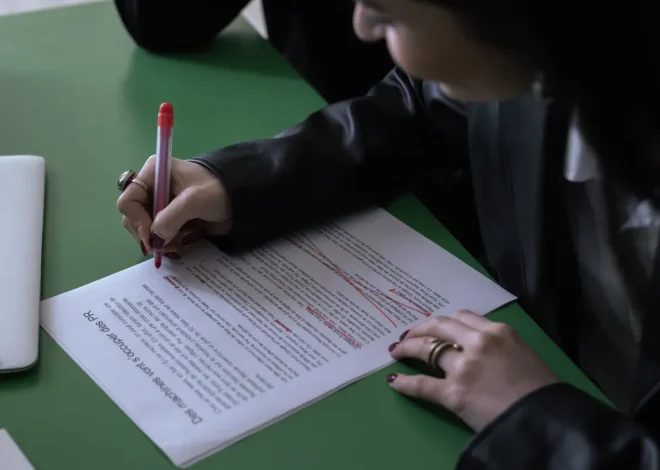
Tracked changes are best when the editor needs line-by-line accountability. A reader can see an insertion, deletion, or replacement in context. That makes it useful for substantive edits, legal review, and collaborative negotiation over wording. The downside is that version history often is not precise enough for line-level negotiation, so it cannot fully replace markup when exact wording matters. It tells you the file changed, but not always why a sentence changed.
Version history is best when the editor needs to recover an earlier state or compare broad revisions. It is the safety net. If someone accidentally accepts a bad change, the document history can restore the previous version. The downside is that it is a broad record, not always a sentence-level explanation.
For most teams, the right answer is both. Use tracked changes during active review. Use version history as the backup record. That combination helps reduce the risk of a clean-looking document that still hides unresolved edits, while still leaving room for human review. Use the tools with judgment, and consult a professional for final approval when the stakes justify it.
The trade-off is file sprawl. If every round gets exported into a new file, shared through email, and renamed by habit, version history becomes a maze. If everything stays in one live document with no milestone saves, the team loses recovery points. The middle ground is disciplined snapshots: save milestone versions at major gates, then keep working in the live draft.
This is also where document tools differ in practice. Microsoft Word’s Track Changes is widely used for formal editorial work because it makes edits visible at sentence level. Google Docs version history is strong for collaboration because it preserves timestamped document states and comment threads. The right choice depends on whether the project values markup detail or shared live editing more. Neither tool is enough if the team ignores naming discipline and approval rules.
For readers who want a standards-based reference point, the Society for Technical Communication publishes guidance on editorial processes, and the National Archives and Records Administration explains records management principles that apply to controlled documents:
- Society for Technical Communication: https://www.stc.org/
- National Archives and Records Administration: https://www.archives.gov/records-mgmt
Those organizations are not prescribing one software tool. They are reinforcing the larger principle: records need traceability, not just storage.
Which tool should you use: Word, Google Docs, or a versioning system?
Word wins for formal markup, Google Docs wins for live collaboration, and a dedicated versioning system wins when document control has compliance weight.
That is the short version. The longer version depends on how the document moves.
Microsoft Word is strongest when the review process depends on clear tracked changes and offline editing. It works well for manuscripts, contracts, policy drafts, and any document that passes between people who may not be in the same file at the same moment. The review markup is familiar to most editors, and the file can be stored anywhere. The weakness is fragmentation. Once a document starts circulating as attachments, the team can end up with multiple copies that no longer match.
Google Docs is strongest when several people need to comment in the same live file. Its comment system and version history make it easy to see who suggested what and when. That makes it useful for fast-moving content teams. The weakness is governance. Live collaboration can blur the line between suggestion and approval, and a reviewer may assume their comment equals a resolved decision when it does not.
A dedicated versioning system wins when the document is part of a controlled process, such as regulatory work, enterprise documentation, or high-stakes publishing. These systems give stronger audit trails, permissions, and release control. The weakness is overhead. Small teams often do not need that machinery, and the process can become slower than the document itself.
Here is the practical decision:
- If the document needs heavy markup and formal acceptance, use Word.
- If the document needs many simultaneous comments, use Google Docs.
- If the document needs controlled releases, permissions, and auditability, use a versioning system.
The wrong choice is whichever tool your team likes but cannot govern. A simple tool used badly creates more confusion than a sophisticated tool used consistently.
The other thing generic advice misses is file recovery. If your only system is “the latest file in the folder,” the team has no fallback when the latest file is wrong. A real revision system always answers the recovery question: if this version fails, where is the last known good copy?
Criteria | Word | Google Docs | Winner for [condition]
| Criteria | Word | Google Docs | Winner for [condition] |
|---|---|---|---|
| Line-level markup | Strong tracked changes and comments | Strong comments, lighter markup feel | Word for formal editing |
| Live collaboration | Possible, but more file-bound | Built for simultaneous editing | Google Docs for fast teamwork |
| Version recovery | File-based unless managed carefully | Built-in version history | Google Docs for distributed teams |
| Offline work | Strong | Limited offline practicality | Word when connectivity is unreliable |
| Approval clarity | Strong if files are controlled tightly | Easy to blur review and approval | Word for formal signoff |
| Permissions control | Depends on storage setup | Simple sharing, but easy to overshare | Word for controlled file systems |
| Audit trail depth | Good with disciplined storage | Good for revision snapshots | Google Docs for quick traceability |
| Controlled publishing | Needs external process | Needs external process | Dedicated system, not either one |
| Ease for nontechnical users | Familiar to many editors | Familiar to many teams | Google Docs for ad hoc collaboration |
How do I stop people from overwriting each other’s edits?
You stop overwrites by locking the master draft, separating suggestion from approval, and defining one owner for the final copy.
That answer sounds blunt because the problem is blunt. Most overwritten edits happen not because a tool failed, but because the team never established control. Two people edit the same paragraph, one saves over the other, and the later file wins by accident. The document appears “updated,” but one revision vanished.
The first rule is simple: there is only one authoritative file at a time. Everyone else works on copies, comments, or suggested changes. Nobody creates a “better final” on the side and sends it by chat as if the team can infer its status.
The second rule is timing. If a reviewer has 48 hours to respond, the editor should not accept partial changes before the review window closes unless the process explicitly allows it. Early acceptance is one of the most common ways to lose context. A reviewer comments on sentence A, then later discovers sentence B changed underneath it. Now the feedback no longer fits the current draft.
The third rule is change ownership. Every meaningful edit should be traceable to a named reviewer or editor. That does not mean every comma needs a signature. It means the project can answer who approved a structural rewrite, who changed a definition, and who signed off on the final wording.
A fourth rule helps with larger teams: freeze the draft before the final review. A short freeze period prevents late “improvements” from entering after the last legal, brand, or compliance pass. Without a freeze, the document never quite ends. Someone always wants one more tweak, and that last tweak often restarts the approval chain.
The downside of strict control is delay. A tightly managed revision process is slower than informal editing. That is why it is best reserved for projects where the cost of confusion is higher than the cost of waiting. A 500-word blog post may not deserve a formal freeze. A client deliverable with legal exposure usually does.
The key distinction is this: editing is creative work; revision control is governance. Conflating them is what causes overwrites.
The honest limits of draft control systems
Draft control systems fail when the team treats them as a substitute for judgment.
No process can fix a bad editorial decision. If the content direction is wrong, a perfect version log just records the wrongness more cleanly. No system can rescue a document if reviewers are unclear, approvals are informal, or the team refuses to stop rewriting after signoff.
There are also costs that people understate:
- Too much tracking can make a draft unreadable.
- Too many versions can create version fatigue.
- Too many reviewers can slow the document until the original goal changes.
- Too much process can discourage useful, last-mile fixes.
A good system has to be proportionate to the risk. A newsroom story, a technical manual, and a clinical consent form do not need the same amount of control. The higher the consequence of a mistake, the tighter the controls should be. The lower the consequence, the lighter the process can be.
This is the point where many generic guides become vague. They say to “stay organized,” which is not a method. A better rule is to match the control level to the document’s exposure. If a bad revision could cost rework only, keep it light. If a bad revision could mislead clients, violate policy, or create legal trouble, formalize everything.
Another limit: not every team should use the same tool set forever. A startup may begin in Google Docs, move to Word for client deliverables, and later adopt a formal document management system when approval layers multiply. That is not failure. It is growth. The wrong move is staying in the casual setup after the work has outgrown it.
Exception scenarios where the verdict flips
The overall recommendation changes in a few specific cases.
First, if the project is single-author and low-risk, heavy revision control is overkill. A solo writer drafting a newsletter, essay, or short web page often needs version history, not a full approval chain. The cost of strict gates is higher than the benefit.
Second, if the team is spread across devices and needs fast collaboration, Google Docs can beat Word even when Word is stronger for markup. A live file with comment threads is simply faster for small editorial teams that are working in real time and do not need formal redlining.
Third, if the document is governed by compliance, legal review, or records policy, a dedicated document control system flips into first place. In that setting, convenience is secondary to traceability, permissions, and release discipline.
Fourth, if external contributors are sending edits in inconsistent formats, the best system may be one editor collecting all comments into a master file. That is less elegant than shared editing, but it prevents fragmented versions from multiplying across inboxes.
The point of these exceptions is not to weaken the recommendation. It is to stop the wrong workflow from pretending to be universal. A system that works for a three-person marketing team may fail completely in a regulated environment. A system that works for legal review may be too heavy for a quick content refresh.
The verdict: which workflow should you choose?
Choose Word if the draft needs formal line-by-line markup, offline editing, and a familiar editorial workflow with tracked changes. Choose Google Docs if the draft needs fast live collaboration, simple commenting, and a shared working file. Neither if the document is high-stakes enough to require formal records control, permissions, and a governed release process.
That is the clearest answer. For most editorial teams, the best everyday setup is one master draft, tracked changes during review, version history as backup, and a naming convention that nobody improvises. For high-risk documents, move beyond ad hoc file sharing entirely.
The one thing not to do is combine tools casually and hope the process sorts itself out. A Word file emailed back and forth, a Google Doc with unresolved comments, and a separate “final” attachment are not a workflow. They are an accident waiting to happen.
A controlled draft process is not glamorous. It is just the difference between a document that can be trusted and a document that can only be found.
Drafted with AI; not yet reviewed by a person.