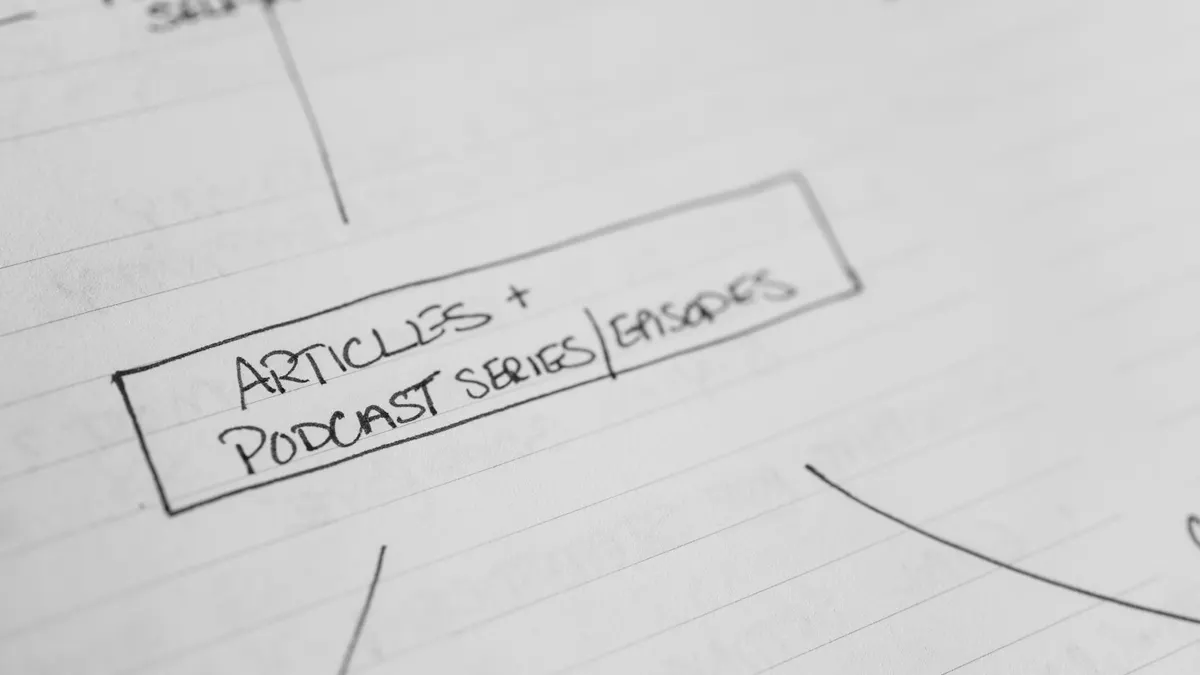
How to optimize article structure before publishing
Last updated: October 13, 2026
Quick Answer: optimize article structure by making the page answer one real reader question fast, then ordering the rest of the article so each section removes one more reason to leave. If the structure does not help the reader decide, scan, and act, the writing is doing the wrong job.
Before I touch sentence polish, I look at the shape of the article. Article structure is what keeps a reader from hitting the back button at 20 seconds, and Google’s Search Essentials still reward pages that are clear, helpful, and easy to understand. It also decides whether the page can rank for the query, since search engines need clear headings, visible intent, and a logical path from problem to answer. A strong structure is not decoration; it is the argument.
What article structure should do before you publish
Article structure should make the reader think, “This is exactly what I needed,” in the first 2 screens. For someone preparing a blog post, guide, landing page, or editorial article, the setup has to do three jobs at once: state the answer, prove the answer, and show the next step.
I start with the simplest test: strip the prose away and keep only headings. Does the outline still make sense? If not, the article is built on decorative sections, not decision-making sections. A useful outline usually has 5 to 7 H2s, not 12 loosely related ones. Fewer sections are fine if each one does real work. More sections are fine only if the article is long enough to justify them.
For informational pieces, the order should move from problem to method to edge cases to final check. Commercial pages need a different track: need to comparison to limits to cost of ownership. For this topic, the “cost” is often time — a 10-minute structure pass before publishing can save a rewrite after the page underperforms for 30 days.
Here is the practical rule I use: cut it or fold it in if a heading does not change the reader’s decision. Harsh? Sure. But it keeps the article from drifting into summary language that sounds complete and teaches nothing.
Quick check: remove one section. Does the article still answer the core question cleanly, or does it leave a gap?
The 3 conditions that change everything

The structure changes if the reader is skimming, if the article is long-form, or if the topic is high-stakes. Those three conditions decide how much signposting you need and how much repetition is acceptable.
On mobile, the first 100 words and the first sentence under every H2 matter more than the rest of the paragraph. Front-load the direct answer. Keep paragraphs under about 4 sentences. Use headings that say something useful rather than clever. A heading like “What Actually Determines the Right Answer Here” works because it gives the reader a job. A heading like “A Few Thoughts” wastes the scroll. Clocking out on clarity is a bad bargain.
If the article is long-form, then the structure needs a second layer: H3s, bullet lists, or a short table that helps the reader compare paths. A 1,500-word article can hold 6 or 7 sections without feeling crowded if each section serves a different purpose. A 600-word article should not pretend it needs the same scaffolding.
High-stakes topics — medical, legal, finance, or anything where a wrong interpretation hurts people — need a slower turn at the point where readers might make a bad choice. Add trade-offs, caveats, and “who this is not for.” For software content, that often means clarifying integrations, migration effort, and total operating burden, not just features on a checklist.
| Situation | Best Path | Why Other Options Fail |
|---|---|---|
| Skim-heavy mobile audience | Short intro, direct H2s, concise sections | Long scenic intros lose the reader before the answer appears |
| Long-form evergreen guide | H2s plus selective H3s, one comparison table | Flat sections make the article feel repetitive and hard to scan |
| High-stakes decision topic | Extra caveats, explicit trade-offs, final verification step | Overconfident structure hides the risks the reader needs to see |
| Search intent is “how to” | Steps first, theory second | Theory-first structure delays the action and weakens relevance |
Quick check: if the reader may only scan 30 seconds, have I still given them the answer and the next move?
If you’re optimizing for search, here’s the order that usually works
If the goal is ranking, then the structure has to mirror the query, not the writer’s favorite outline. A searcher who typed “how to optimize article structure before publishing” is usually asking for a pre-publish checklist, not a lecture on rhetoric. So the page should open with the answer, then move into a practical process, then handle exceptions.
My preferred order is answer, criteria, workflow, common failures, edge cases, and final checklist. That shape works because it matches what the reader is trying to do inside 1 sitting. Begin with history or definitions, and the reader has to do extra work. Search intent is a timing problem as much as a wording problem.
This is where many generic articles go wrong: they treat structure as an abstract concept instead of a publishing decision, and the advice can cross into judgment calls that deserve a professional eye. For medical, legal, financial, or other high-stakes content, consult a qualified professional before treating structure advice as final. A useful article should show how to revise the structure before the post goes live. Check the H1 against the query. Make sure the intro states the core promise in plain language. Verify that each H2 adds a new step rather than restating the previous one.
A simple pre-publish workflow I would use:
- Write the one-sentence answer the page must deliver.
- List the reader’s next 3 questions in the order they will ask them.
- Turn each question into an H2 that says something specific.
- Move any paragraph that only repeats the main point into a stronger section.
- Check that each section contains a distinct action, comparison, or warning.
- Read the headings alone and see whether the page still makes a clean argument.
If the page is meant for SEO, I would also check for query drift. A post about structure should not wander into generic editing advice unless the reader actually needs that branch. A focused page often beats a bigger one because it respects the query.
Quick check: if someone opened the page from Google, would the first 3 headings match what they expected to learn?
How to build the outline before you touch the draft
Build the outline from reader questions, not from the order the writing came out of your head. If the draft already exists, the outline pass is where you put the furniture in the right rooms. A good structure often appears only after you reduce the article to its claims and sort them by function.
Start with the central promise. Then divide the claims into one of 4 buckets: explain, compare, warn, and verify. “Explain” covers the basic answer. “Compare” handles alternatives. “Warn” covers mistakes and trade-offs. “Verify” gives the reader a final check before publishing. If a section cannot fit one of those jobs, I usually question whether it belongs.
A practical outline process looks like this:
- State the article’s promise in 15 words or fewer.
- List every point you think must appear.
- Group those points by purpose: explanation, comparison, warning, or verification.
- Turn each group into a heading that names the reader’s situation.
- Put the most urgent answer first, even if it feels less elegant.
- Cut any heading that exists only to make the article look longer.
The trade-off here is obvious: a tighter structure can feel less “thorough” to the writer, but it usually feels more complete to the reader. A bloated outline often hides weak thinking. I would rather see 6 sharp sections than 10 weak ones.
This is also where you decide what the page is not. If the article is about optimizing structure before publishing, it is not a general copyediting guide and it is not a theory essay on narrative form. Say so by omission. Readers notice when a page knows its job.
Quick check: could I explain each section as “this answers X question” without reaching for vague language?
When standard advice is wrong
Standard advice is wrong when it tells you to make every article “balanced,” “comprehensive,” or “story-driven” no matter the goal. A structure for a 700-word service page is not the same as a structure for a 2,000-word guide, and it should not pretend to be.
If the reader already knows the basics, then a long introduction hurts you. Get to the decision point fast. If the reader is brand-new, then a bare-bones outline can feel abrupt, so the structure needs one extra layer of explanation before the first recommendation. If the article is meant to convert, not just inform, then the proof belongs near the action, not buried at the end.
There is also a limit to how much structural variety helps. Too many subheadings can turn a page into a staircase of tiny stops, which breaks momentum. Too few headings can make the article feel like a wall of text. The right balance depends on the density of the material and the patience of the audience. For most web articles, I find that a major heading every 250 to 400 words is enough to keep the page navigable without feeling chopped up.
Another place standard advice fails: when the draft contains several ideas that are each too small for a full section. In that case, combine them into one “common mistakes” or “quick checks” section. That gives weak material a real purpose. A section should earn its spot by helping the reader decide, not by occupying visual space.
Quick check: does the page need more structure, or does it need fewer, better sections?
Edge cases: when the usual structure breaks down
The usual structure breaks down when the draft is extremely short, heavily technical, or built around a single comparison. In those cases, I change the shape instead of forcing a standard blog outline.
- Situation: a 400-word post. What changes: there is no room for a full multi-step framework. What to do instead: use one direct answer, 2 supporting points, and a final line that states the next action.
- Situation: a technical software guide with terms like schema, canonical URL, or HTML5. What changes: the reader needs precision before persuasion. What to do instead: define the terms only where they affect the action, and keep the structure strict.
- Situation: a comparison post between 2 tools or methods. What changes: the article’s job is selection, not explanation. What to do instead: use sections for criteria, limits, use cases, and cost of owning the choice.
- Situation: an article based on a single workflow, such as a publishing checklist. What changes: too many H2s can dilute the action. What to do instead: use one main process section and a smaller edge-case section.
- Situation: the draft includes legal, medical, or financial implications. What changes: the structure must slow down before the reader acts. What to do instead: add a clear caution section and tell the reader when to speak to a qualified professional.
That last point matters because structure is part of risk management. A page that sounds decisive but hides its limits can mislead people. A page that names its limits looks more trustworthy, not less.
Quick check: is my draft one of the special cases above, or can it safely use a standard how-to structure?
A pre-publish structure checklist I would actually use
I would use this checklist when the draft is close, because it catches the failures that look minor on screen but cost the page later. It is faster than a full rewrite and stricter than a spellcheck.
- Confirm the opening sentence says the article’s topic and answer plainly.
- Check that every H2 introduces a new job, not a new way of saying the same thing.
- Make sure the first sentence under each H2 answers that heading directly.
- Remove sections that do not change the reader’s decision or next step.
- Keep one section for trade-offs and one for edge cases.
- Scan the headings alone to see whether the order still makes sense.
- Trim any paragraph that exists only to make the article feel longer.
If I had to choose just one test, I would choose the headings-only test. Strip out the paragraphs and ask whether the outline still tells the story. If it does, the article is structurally sound. If it does not, the draft is leaning on prose to hide a weak frame.
The honest downside of this approach is that it can make writing feel slower at the start. It is slower. It also saves revisions, because structural problems are expensive to fix after the article is polished. A good structure is not glamorous, but it is the part readers feel when they stay.
Quick check: if the prose vanished, would the outline still make a clear, useful case?
Key Takeaways
- Start with the reader’s real question, then build the article around the decision they need to make.
- Give each section one job: explain, compare, warn, or verify.
- Keep headings specific enough that a skimming reader knows what each section delivers.
- Add trade-offs and edge cases where the advice can fail.
- If the outline still works when you read only the headings, the structure is probably strong.
FAQ
How many sections should an article have before publishing?
Most web articles do well with 5 to 7 meaningful sections, but the right number depends on how much the article needs to explain and how much the reader already knows.
Should I write the intro first or last?
I would usually write it after the outline is set, because the opening works better when the structure is already clear.
What’s the fastest way to spot a weak structure?
Read only the headings. If they repeat each other or skip the reader’s next question, the structure needs work.
Drafted with AI; not yet reviewed by a person.