How Article Writing SaaS Pricing Usually Works
Last updated: October 11, 2026
Key Takeaways
- Monthly fees often cover access, not full production volume.
- Usage, seat, credit, and flat plans fit different workflow patterns and limit structures.
- Usage-based pricing often suits solo writers with uneven output.
- Per-seat pricing often suits editorial teams that collaborate regularly.
Quick Answer

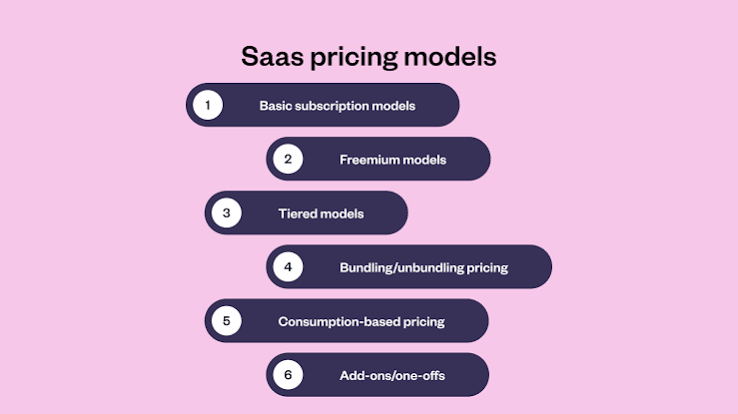
Article writing SaaS pricing usually falls into four models: per seat, per word, usage-based credits, or a flat plan with limits hidden in the fine print. In practice, the right choice depends on your output, team size, and workflow, but a $20 to $199 monthly plan often changes meaning once seats, credits, and export limits are added.
Article writing SaaS pricing usually comes down to one of four models: per seat, per word, usage-based credits, or a flat plan with limits hidden in the fine print. If you are buying for a content team, the real question is not “What is the monthly price?” It is “What will this cost once I write, edit, collaborate, and publish at normal volume?”
I write about software buying decisions, and pricing pages are one of the easiest places to get misled because the headline number rarely tells you the whole bill.
What the price actually covers
The monthly fee usually covers access, not output. That sounds obvious, but it is where most clients get burned. A $20 plan might mean one user, a capped number of credits, limited document length, and no team features. A $99 or $199 plan may unlock more seats, shared workspaces, brand voice controls, and exports, but still meter generation separately.
The practical issue is that article writing SaaS is rarely sold like a static tool. It behaves more like a bundle of software plus consumption. One plan may include a fixed number of articles, another may meter by word count, and another may give you “unlimited” use while reserving the right to slow or restrict heavy usage under fair-use terms. If the pricing page does not state the unit of consumption clearly, assume the limit is the part that will matter later. Consult procurement or legal counsel if the terms are unclear.
The details that change the bill in practice are usually these: number of users, number of generations, word length caps, brand/workspace controls, integrations with CMS or SEO tools, and whether API access is included. A solo writer drafting 4 articles a month and a 12-person marketing team producing 80 may see the same “starter” label and completely different economics. For context, OpenAI documents usage-based pricing in tokens, which shows how metered software can differ from a flat subscription. See also SaaS pricing models and OpenAI pricing.
One more trap: annual billing often looks cheaper on paper, but it only helps if the product fits your workflow for the full term. A 12-month commitment to the wrong tool is not savings; it is friction with a discount attached.
How do article writing SaaS plans get priced?

They are usually priced around one of four structures, and the structure matters more than the sticker number. A usage model suits variable output; a seat model suits teams; a credit model suits mixed workflows; a flat plan suits predictable volume if the limits are generous enough.
Here is the cleanest way I can compare them:
| Criteria | Per-seat pricing | Usage/credit pricing | Winner for this condition |
|---|---|---|---|
| Best for teams with many writers | Strong, if collaboration matters | Can get expensive as usage rises | Per-seat |
| Best for a solo writer with uneven volume | Often wasteful if unused seats remain | Better fit because spend follows output | Usage/credit |
| Predictability of monthly spend | High when seats are fixed | Medium to low unless usage is capped | Per-seat |
| Fit for agency work with client spikes | Good if projects are shared across seats | Good if output varies by client | Depends on workflow |
| Ease of budgeting | Simple for finance teams | Harder unless the vendor shows credit math clearly | Per-seat |
| Risk of overage surprises | Lower on fixed seats | Higher if extra credits cost more | Per-seat |
| Incentive to limit low-value output | Moderate | Strong, because every action consumes credits | Usage/credit |
| Compatibility with heavy collaboration | Better when comments, roles, and approvals are included | Varies widely by product | Per-seat |
| Best when writers produce long-form pieces | Good if length does not trigger extra charges | Can penalize long drafts | Depends on the meter |
| Best when trying the tool before rollout | Often weak unless there is a trial | Better if credits let you sample real usage | Usage/credit |
The honest trade-off is simple: seat pricing is easier to understand, while credit pricing is easier to match to actual production. One is not “better” in the abstract. Seat pricing wins when the team is stable and every user is active. Credit pricing wins when output swings from month to month.
This is also where the fine print matters. Some vendors count every rewrite as a new action. Some count only final generations. Some charge extra for plagiarism checks, SEO briefs, or export formats. The article writing SaaS market is full of plans that look comparable until you ask, “What exactly consumes the limit?” That question usually reveals the real cost model. For a neutral overview, AWS explains consumption-based billing in cloud services, and the same logic often applies here; if the pricing language is vague, consult a procurement professional before you commit. See AWS pricing and NIST cloud computing.
Which pricing model fits a solo writer?
Usage-based pricing is usually the better fit for a solo writer, especially if publishing volume changes month to month. If you write five pieces one week and one the next, paying for a fixed seat plus a large unused allowance is poor economics.
The reason is practical. A solo writer tends to need flexibility more than governance. You care about drafting, rewriting, and maybe connecting the tool to a CMS or a publishing workflow. You probably do not need five permission levels, team analytics, or a shared asset library. Those features can look impressive on a pricing page and still add no value to a one-person operation.
What I would look for is a plan that makes limits explicit: a stated number of credits, clear carryover rules if any, and an easy upgrade path when a client sprint hits. If the vendor hides the unit behind vague language like “fair usage” or “pro-level access,” I would treat that as a warning sign and consult a professional if the contract matters. The problem is not only cost. It is uncertainty, and uncertainty slows a solo workflow because every draft becomes a budget question.
The main weakness of usage pricing is that it can punish experimentation. If every outline, rewrite, or variant consumes credits, you may start writing for the meter instead of the reader. That is a real drawback for article work, where iteration improves quality. A solo writer who rewrites often may find a modest seat plan with generous generation limits more useful than a strict pay-as-you-go model.
I would skip the cheapest tier if it blocks exports, truncates longer articles, or excludes integrations with tools you already use, unless the trade-off is clearly acceptable for your workflow. A low monthly fee is not a bargain if it forces extra manual work every day.
Why team pricing works better for editorial operations
Per-seat pricing is usually the better choice for editorial teams, because the cost of coordination often matters more than the cost of raw generation. Once multiple people touch the same article—writer, editor, SEO lead, approver—the software starts to function as a workflow system, not just a drafting assistant.
That is where team plans justify themselves. Shared folders, comments, role permissions, approval flows, and brand voice settings are not decorative features; they reduce rework. If a vendor includes those in a fixed-seat plan, the monthly bill is often easier to defend internally than a stack of credits that disappears into revisions and duplicate prompts.
The weakness is obvious: inactive seats waste money. If you buy for a 10-person team and only 4 people use the product every week, seat pricing starts to look bloated fast. It also assumes your staffing stays stable. In agencies and publishing teams with freelancers, seasonal contributors, or rotating contractors, seat count can change often enough to make budgeting annoying.
This is why team pricing only wins when the team is actually operating like a team. If every article passes through a shared process and the same users work in the tool every week, fixed seats are clean and defensible. If the “team” is really one manager and a rotating cast of occasional users, credits usually make more sense.
A hidden benefit of seat pricing is procurement simplicity, at least in many organizations, because finance teams often prefer fixed recurring costs to variable consumption; consult procurement or finance if you need a policy-based answer. That matters when software has to survive a budget review. Still, I would not pay for a larger team plan just to get “enterprise” badges or a prettier dashboard. If the plan does not change how articles move from draft to publish, it is not helping the job.
What about free trials, annual plans, and add-ons?
Free trials are useful, but only if they let you reach the real work. A 7-day trial that caps output too tightly tells you little about a product that will live or die on long-form article drafting. The better trials show you the core flow: brief, draft, revise, export, and integrate.
Annual plans are a bet, not a savings strategy. They usually make sense when the product is already embedded in your process and the vendor has clear renewal terms. They make less sense for a first purchase, because article writing SaaS changes quickly and pricing pages change with it. If you lock in too early, you may end up paying for features you never adopt.
Add-ons deserve special attention. Plagiarism detection, SEO research, image generation, extra seats, API access, and premium support are often sold separately. Those extras can be useful, but they should be treated as part of the operating cost, not as optional nice-to-haves; if the budget impact is unclear, consult a professional. A plan that looks affordable until you add the things your workflow requires is not really affordable.
I would also watch for usage thresholds buried in “fair-use” language. Some vendors present add-ons as flexibility, when they are really escape valves for a plan that is too small. If you need three or four extras to make the product usable, you may have started with the wrong tier.
When does the model flip completely?
There are a few cases where the usual recommendation changes.
First, if your output is extremely bursty—say, campaign weeks followed by quiet months—usage pricing can beat seat pricing even for a team. In that case, paying for activity instead of headcount is cleaner.
Second, if your article process depends on strict approvals, brand voice controls, or shared assets, per-seat plans tend to win even when they are more expensive. The workflow savings can outweigh the subscription cost.
Third, if the vendor prices long-form documents separately or meters by generation count, article writers should be careful. A plan that is fine for short copy may become expensive for 1,500-word pieces because the meter is closer to “actions” than to “articles.”
Fourth, if you are comparing a general AI writing tool to a dedicated article workflow product, the cheaper option can be the wrong one. General tools often look attractive on price and weak on collaboration, source handling, or publishing handoff. Dedicated tools cost more for a reason.
The verdict
Choose usage-based pricing if you are a solo writer, a freelancer, or a team with uneven monthly output and you care most about paying only for what you produce. Choose per-seat pricing if you have a steady editorial workflow, multiple people collaborating on the same articles, and a need for predictable budgeting. Neither if the plan hides usage limits, charges separately for basic workflow features, or forces a long annual commitment before you know how many drafts you will really make.
What most buyers get wrong about article writing SaaS pricing
They compare the monthly headline number instead of the cost to get one publishable article out the door. That is the wrong unit. The real unit is the full workflow: draft, revise, approve, and export.
A $29 plan can be expensive if it charges for every revision. A $149 plan can be cheap if it replaces several tools and cuts editing time. Pricing only makes sense when you map it to the volume and shape of your content operation.
The other mistake is treating “unlimited” as if it were literal. In SaaS, unlimited usually means the plan is not priced by a visible counter on the page. It does not mean the vendor has no guardrails, no fair-use language, and no operational limits.
If the pricing page does not clearly say what is metered, I would assume the metering is part of the product. That is the sentence most clients wish they had read earlier.
FAQ
Is article writing SaaS usually billed monthly or annually?
Usually both. Monthly billing is more flexible; annual billing often lowers the effective cost but raises the risk of being locked into the wrong tier.
What pricing model is best for a small team?
Per-seat pricing is usually best for a small team if the same people use the product every week and you need collaboration features.
What should I check before buying?
I would check the unit of billing, the limits on generations or words, the cost of add-ons, export options, and whether integrations with your CMS or SEO tools are included.
Are free plans worth using?
Sometimes, but only for light drafting or a trial run. Free plans often hide the features that matter most in article production, such as longer outputs, collaboration, and reliable exports.
Why do some tools look cheap at first and expensive later?
Because the base subscription is only part of the bill. Credits, seats, add-ons, and overage charges can change the real cost quickly.
Drafted with AI; not yet reviewed by a person.