How to Choose Article Writing Software
Last updated: October 11, 2026
Key Takeaways
- Pick the tool that fixes your biggest workflow bottleneck, not the one with the flashiest pricing page.
- Match drafting style, collaboration, research, publishing, and ongoing cost before you commit.
- Prioritize source capture, revision tools, export quality, and AI only when you really use it.
- If others edit your work, start with a collaborative document, then add a drafting app.
Quick answer: article writing software usually comes down to one of three setups—solo drafting, collaborative editing, or research-heavy planning—and the right choice depends on which of those you do most.
Article writing software is worth choosing only if it matches the way you actually draft, edit, and publish. If you write long-form articles, the right tool is the one that fits your workflow for outlining, research, drafting, revisions, and handoff—not the one with the biggest feature list. In practice, article writing software should reduce friction, not add another layer to manage.
What Actually Determines the Right Answer Here

The right article writing software depends on where your process breaks down, not on which app looks smartest on a pricing page. If you draft in one sitting, a clean editor may be enough. If you work from notes, sources, and approvals, you need structure, comments, and version control. If you publish into WordPress or Google Docs every week, integration matters more than a clever AI sidebar.
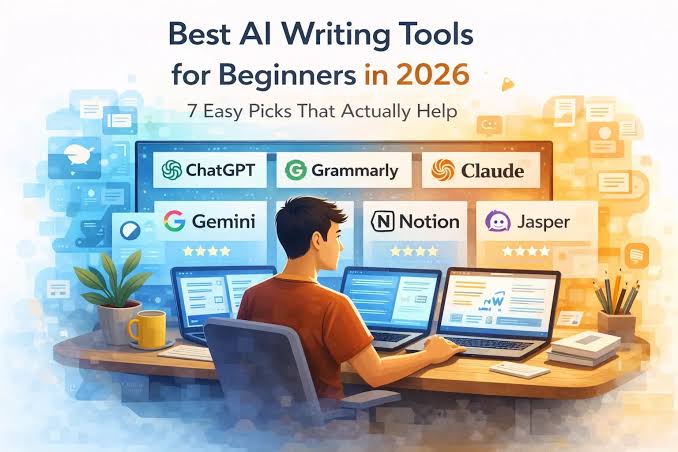
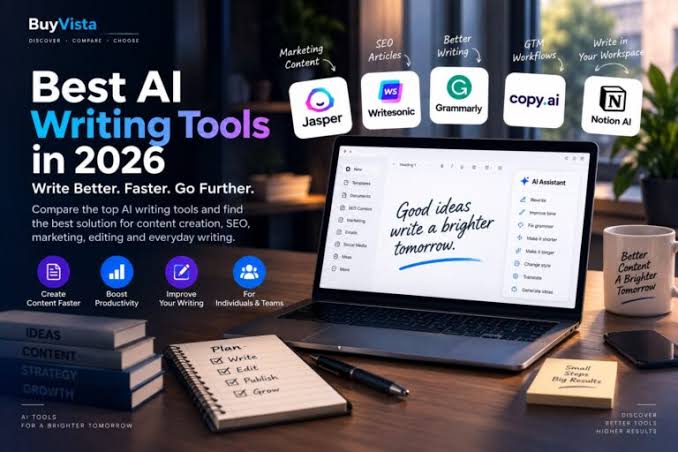
Start with the task, then map the tool to it. A solo blogger who writes 1,500-word posts in Markdown has different needs from a marketing writer handling 12 stakeholders in a shared doc. The first person might be fine with Ulysses, Obsidian, or Scrivener. The second usually needs Google Docs, Notion, or Microsoft Word with track changes. If AI is part of the workflow, tools like ChatGPT, Jasper, Copy.ai, or Grammarly can help, but they rarely replace an editor with a file system.
The real trade-off is speed versus control. Lightweight tools make it easy to start writing, but they can get messy when you need source notes, comments, or structured revisions. Heavy tools give you more control, but they slow you down if all you want is a distraction-free page.
A simple way to judge fit is by friction:
- Open a draft in the tool.
- Add 5 source notes and 3 headings.
- Rewrite one section.
- Export it to the place you publish.
- Check how many steps feel clumsy.
If one step routinely annoys you, that is the thing to optimize. Quick check: if your biggest pain is starting, choose simplicity; if your biggest pain is managing revisions, choose structure.
How do you choose article writing software for your workflow?
You choose article writing software by matching five things: drafting style, collaboration needs, research handling, publishing path, and cost to keep using it. If any one of those is wrong, the software becomes a drag after the first week. For a workflow that has to scale, the first question is not feature count but fit.
Here is the fastest decision table I can give:
| Situation | Best Path | Why Other Options Fail |
|---|---|---|
| Solo writer, mostly first drafts | Distraction-free editor like Ulysses, iA Writer, or Scrivener | Heavy team tools add clutter you won’t use |
| Editor and writer share revisions | Google Docs or Microsoft Word | Markdown-only tools make commenting awkward |
| Research-heavy longform | Notion, Obsidian, or Scrivener | Plain text editors make source management messy |
| SEO writing with AI assist | Google Docs plus ChatGPT, Grammarly, or Jasper | All-in-one AI tools often weak on revision control |
| Publishing directly to WordPress | Tool with clean export, or WordPress plugin workflow | Copy-paste invites formatting mistakes |
| Multi-author newsroom or agency | Docs plus a project system like Notion, Airtable, or Asana | Single-user writing apps do not manage handoffs well |
If you are a solo writer, I would first ask whether you need folders, tags, and export formats. Scrivener is strong when you want a draft split into sections and research stored beside it; it is overkill if you only write 800-word posts. Ulysses is pleasant for long sessions on Apple devices, but it is a poor choice if your team lives in Windows. Google Docs is a practical default if you share work often, because comments and suggestions are familiar to almost everyone.
A practical selection path looks like this:
- List where your drafts begin: notes app, outline, AI prompt, blank page, or source doc.
- List where they end: WordPress, CMS, client doc, PDF, or email.
- Decide whether you need real-time collaboration or solo drafting.
- Choose the lightest tool that handles your export and revision needs.
- Run one full article through it before committing.
If the tool cannot carry an article from idea to publication with less reformatting than your current setup, it is the wrong tool. Quick check: if you use comments and approvals, choose doc-based software; if you mostly write alone, choose the simplest editor that exports cleanly.
Which features matter most for article writing software?
The features that matter most are source handling, revision tools, export quality, and AI support if you actually use it. If a tool is missing one of those, that gap will show up inside the first 3 articles.
Research handling matters more than most buyers expect. If you gather quotes, links, and notes, look for inline notes, side panels, or a structured database. Notion and Obsidian are good at this because they keep material close to the draft. Scrivener also earns its place here because it lets you keep chapters, snippets, and references in one project. A plain editor without notes can still work, but only if your research lives elsewhere.
Revision tools matter if anyone else touches the piece. Google Docs is hard to beat for suggestion mode and comments. Microsoft Word still matters in many editorial workflows because track changes is a standard. If you are writing for clients or publications that mark up every line, avoid tools that make export to .docx messy. For shared editorial work, Google’s help documentation on Docs comments and suggestions is a useful reference, and Microsoft’s support pages explain track changes in Word. Google Docs Help, Microsoft Support.
AI support is useful only when it shortens a real step. I would value outline generation, rephrasing, headline variants, and grammar cleanup before I would care about a flashy “write the whole article” button. ChatGPT can be useful for ideation and restructuring; Grammarly is more about correction and tone; Jasper and Copy.ai are usually better thought of as assisted drafting systems than full editors. If you need citation discipline, AI also becomes a risk unless you verify every claim yourself. OpenAI’s usage guidance and Google’s NotebookLM materials both stress verification rather than blind trust. OpenAI Usage Policies, Google NotebookLM.
Cost to run in practice is not just the monthly fee. It includes time spent formatting, time spent moving text between apps, and the mental cost of managing another login. A $20-per-month app can be more expensive than a free one if it adds 15 minutes to every draft. If you are comparing tools, also check whether the vendor offers monthly or annual billing, because the price gap can be meaningful over 12 months.
Quick check: if your articles rely on sources and edits, prioritize notes and comments; if you publish fast and alone, prioritize export and clean drafting.
If you work with editors, clients, or a team, pick this path
If other people touch your articles, pick a collaborative document first and a writing app second. The best solo drafting tool can become a poor team tool once comments, approvals, and version history enter the picture.
For this workflow, Google Docs is usually the easiest default because people know how to comment, suggest, and share permissions. Microsoft Word is still strong when a publication expects track changes and .docx delivery. Notion can work well for teams that also need briefs, task status, and content calendars in one place, but I would not use it as the sole editing layer if the final review happens in Word. Google’s Docs sharing model and Microsoft’s redlining tools are the practical benchmark here. Google Docs Help, Microsoft Support.
A workable team process looks like this:
- Create the brief in a shared space with the angle, target reader, and deadline.
- Draft in the tool the editor can review fastest, usually Google Docs or Word.
- Use comments for questions, not chat threads.
- Freeze one version before fact-checking and final polish.
- Export in the format the publisher actually wants, usually .docx or clean text.
- Archive the approved version so later changes do not overwrite it.
The honest drawback is that team-friendly tools can feel ordinary. They do not always have the cleanest writing interface, and they are not the best place to store deep research. But if your process is full of feedback loops, ordinary is a virtue. Fancy tools slow people down when they must learn a new system just to leave a comment.
If you need approvals across time zones, version history is non-negotiable. If your editor insists on redlines, Word wins more often than trendy alternatives. If your clients want “just send the draft in an email,” almost any editor works, but that is usually a sign the workflow is fragile and hard to audit later. Quick check: if someone else must approve every article, choose the tool they already know.
When the standard advice is wrong
The standard advice is wrong when your real bottleneck is not writing itself. If the bottleneck is source management, publication formatting, or approval speed, then a pure writing app is not the answer.
Here are the edge cases where normal advice breaks:
- You write in short bursts on a phone and a laptop. What changes: sync quality matters more than features. What to do instead: pick a cloud-first tool like Google Docs, Notion, or a cross-device editor, and avoid local-only software.
- You need citations for every factual claim. What changes: note capture and verification matter more than drafting speed. What to do instead: keep source links in the same workspace and use a reference habit, even if the article itself is in Word or Docs.
- You publish straight into WordPress or a headless CMS. What changes: export and formatting become the main risk. What to do instead: choose a tool with clean paste behavior or a workflow that minimizes formatting layers.
- You write SEO articles in batches. What changes: templates and repeatable structure matter more than beautiful prose. What to do instead: use a template-capable tool like Notion, Scrivener, or a docs workflow with reusable outlines.
- You are easily distracted. What changes: interface noise becomes the enemy. What to do instead: use a minimal editor such as iA Writer or Ulysses rather than a feature-rich hub.
- You collaborate with non-writers. What changes: ease of review beats writing comfort. What to do instead: stay with Google Docs or Word, even if the editor feels less pleasant.
The usual mistake is buying software for the dream workflow instead of the actual one. If your day is mostly editing, choose editing comfort. If your day is mostly coordinating, choose shared visibility. If your day is mostly drafting, choose the cleanest page you can tolerate. Quick check: if your process has unusual constraints, ignore the “best all-purpose tool” advice and optimize for the constraint.
What will this software cost you in practice?
The real cost is the monthly price plus the time you spend moving text, fixing formatting, and teaching the tool to your workflow. If a tool saves you 10 minutes per article, it can justify a fee; if it steals 10 minutes, it is expensive no matter how cheap the subscription looks.
Do not shop by sticker price alone. A writing app at $0 can still cost you hours if it cannot handle export cleanly. A paid editor can be worthwhile if it reduces copy-paste cleanup, preserves headings, and keeps sources attached. AI add-ons also deserve skepticism: if they save one brainstorming step but add verification work, the net gain may be small.
The hidden cost categories are easy to miss:
- migration from old drafts
- time learning the interface
- export cleanup into WordPress, Docs, or Word
- subscriptions for add-ons
- team training and permission setup
If you are a freelancer, I would treat software like any other tool that must pay for itself through saved time or better output. If you are in-house, cost also includes adoption friction across the team. A free tool that one editor loves and four others avoid is not actually free. If the real cost is unclear, consult an accountant or operations professional before committing to a paid stack.
My rule of thumb is simple: choose the least expensive tool that still lets you write, revise, and publish without repeated manual cleanup. That usually means paying for one strong tool instead of stacking three half-solutions. For pricing details, check the vendor’s current plan page before you decide, because rates change.
Quick check: if you are paying more in cleanup time than in software fees, the software is too cheap for your workflow.
A short list of tools worth considering
The tools worth considering are the ones that match a known workflow, not the ones with the loudest marketing. If you need a solo drafting space, look first at Ulysses, iA Writer, or Scrivener. If you need collaboration, start with Google Docs or Microsoft Word. If you need research plus writing, Notion, Obsidian, or Scrivener are better starting points. If you want AI support, layer ChatGPT, Grammarly, Jasper, or Copy.ai onto a workflow that already works.
Here is the cleanest way I would group them:
- Google Docs: best default for shared drafting and comments
- Microsoft Word: best when redlines and .docx handoff matter
- Scrivener: best for large, sectioned articles with research attached
- Notion: best for editorial systems that mix briefs, calendars, and drafts
- Obsidian: best for writers who think in linked notes and long-term knowledge bases
- Ulysses / iA Writer: best for calm drafting and minimal distraction
- Grammarly: best as a polishing layer, not as the main editor
- ChatGPT: best for outlines, restructuring, and idea generation, with fact-checking after
- Jasper / Copy.ai: better for assisted marketing workflows than strict editorial work
The honest limitation is that none of these is perfect. Google Docs can feel clumsy for deep research. Scrivener can feel like too much machinery. AI tools can save time on rewrites but create confidence where verification is still required. Pick the one whose weaknesses you can tolerate every day.
Quick check: if you can name your main workflow pain in one sentence, you already know which of these tools deserves a trial.
FAQ
What is the best article writing software for beginners?
For many beginners, Google Docs is the safest first choice because it is familiar, free for basic use, and easy to share.
Is AI writing software enough on its own?
No. AI can help with outlines and rewrites, but it does not replace your fact-checking, structure, or editorial judgment.
Should I choose an app with templates?
Yes, if you write similar articles repeatedly.
Drafted with AI; not yet reviewed by a person.